Blender add-on · Blender 5.0+

Real physics on your GPU.
One node graph.

BLUX Physics Suite brings smoke and fire, liquids, sand and snow, and rigid-body destruction to Blender, with four GPU solvers that share one workflow.

4GPU solvers
CUDA · VulkanGPU backends
VDB · PLY · AlembicExport formats
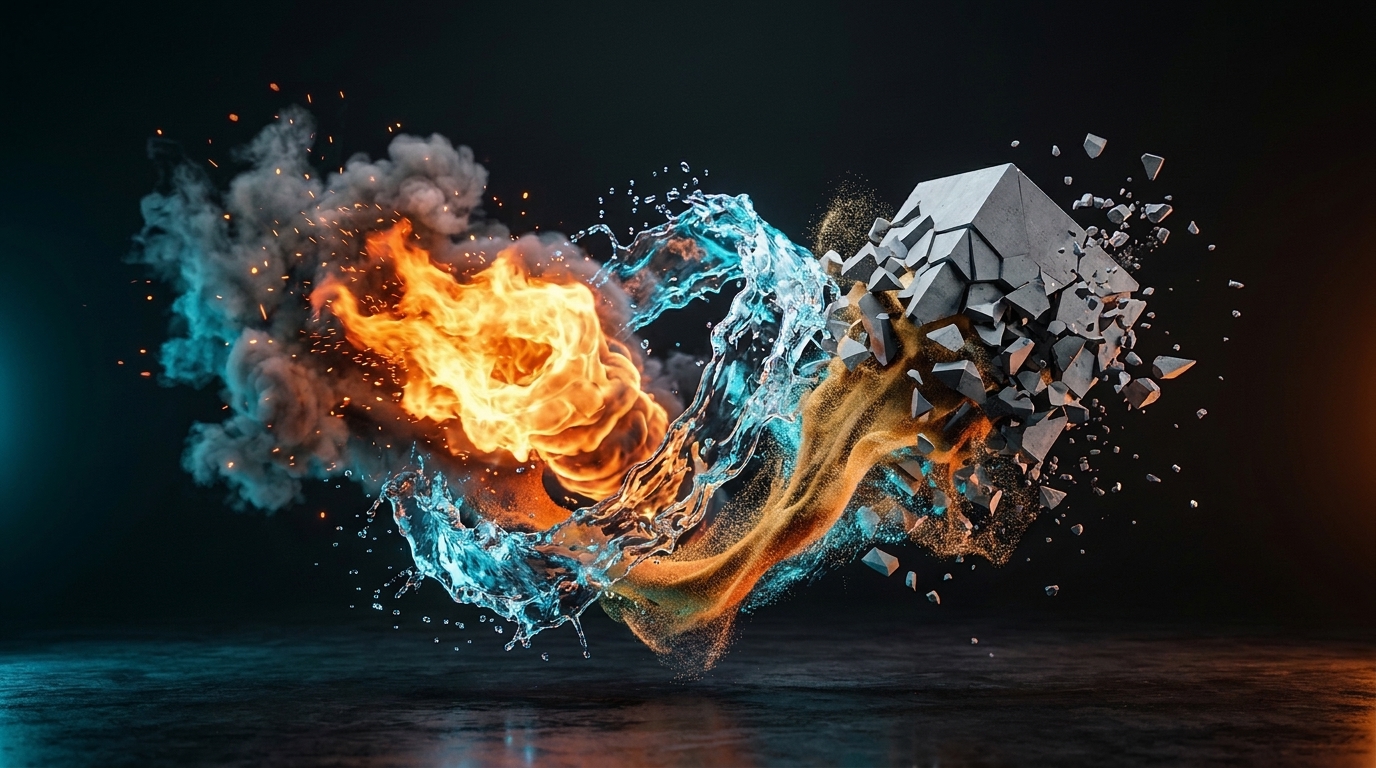
BLUX Physics Suite simulations: fire, liquid, sand and fracture in Blender
Four solvers

Pick the solver that matches the effect

Each solver is built for one kind of material. Use one, or run a gas solver beside a particle solver and let them drive each other.

Blaze

SMOKE & FIRE · EULERIAN GRID

Campfires, fireballs, smoke plumes and thrusters, rendered as an OpenVDB volume sequence.

  • Emit from primitives, curves, meshes, points or VDB volumes
  • Wavelet upres at 2x, 3x or 4x in bakes
  • Resume an interrupted bake from a checkpoint
  • Live raymarched viewport preview

Hydro

LIQUIDS · PARTICLES

Water, oil, honey and splashes with real-unit liquid presets and a production surface mesher.

  • Viscosity in mPa·s, density in kg/m³
  • Up to four liquids in one scene
  • Production and GPU anisotropic meshers
  • GPU spray, foam and bubbles

Atom

GRANULAR & SOFT · MPM

Sand, snow, jelly, slime, viscous fluid and lava with the Material Point Method.

  • Sand, elastic, snow, fluid and lava models
  • Render as points, grains or a liquid surface
  • Temperature-driven lava solidification
  • Couples with Blaze for smoke and dust

Impact

RIGID BODIES · XPBD

Walls that crumble, pillars that shatter and structures that come down in stages.

  • Voronoi fracture with several patterns
  • Breakable bonds between chunks
  • Rebar that holds a structure together
  • Debris trails and dust through Blaze
Built for production

Everything you need to go from setup to render

The node graph is the single source of truth

Every setting, force and collider lives in a node. The sidebar edits and displays that graph, so you can work from either place.

  • Start from a template for each solver
  • Save and load graph presets
  • Validation tells you what is missing before you run
Image placeholder A tidy node graph for a Hydro or Blaze scene img/node-graph.jpg · 1600×1000

Write your own forces: wrangles on the GPU

A Particle Wrangle runs a few lines of code for every particle, and a Field Wrangle for every gas voxel. The code is short Python with @ attributes, in the manner of Houdini's VEX.

  • Checked as you type, with the error line shown on the node
  • chf() puts a slider on the node
  • Edit while the simulation plays; no reset needed
  • Presets such as tornado, shockwave and drag
Image placeholder Particle Wrangle node with the swirl example and a slider img/wrangle.jpg · 1600×1000

Liquids you can render

The Liquid Surface Mesher turns particles into a production mesh, baked frame by frame and streamed through Geometry Nodes, so the viewport, F12 and command-line renders read the same files.

  • Re-mesh without re-simulating
  • Whitewater: spray, foam and bubbles
  • Velocity on the surface for Cycles motion blur
  • Export to Alembic or PLY
Image placeholder Rendered splash with whitewater img/liquid.jpg · 1600×1000

Templates and lookdev presets

Start from ready-made scenes, then change them. Turnkey materials set up fire, smoke, water, honey, mud, lava, concrete, brick and glass for Cycles and EEVEE.

  • Blaze: campfire, gasoline fireball, diesel smoke, rocket thruster, and more
  • Hydro: dam break, honey coil, buoyancy tank, oil and water
  • Atom: sand bulldozer, jelly stairs, mudslide
  • Impact: mortar wall, reinforced pillar, staged demolition
Image placeholder Templates menu open over a finished template scene img/templates.jpg · 1600×1000
And more

Details that save you time

System Doctor

Checks your GPU, the solver worker and the VRAM a scene needs before you run it.

Background kernel warm-up

GPU kernels compile in the background when you open a file or switch solver, so Run starts without waiting.

Particles and gas together

Lava that smokes, debris that raises dust, and explosions that throw chunks outward.

Geometry Nodes ready

Velocity, speed, temperature, damage and wetness come through as attributes, with a ready-made reader node.

Cache with budgets

Disk and memory caps evict the least recently used frames, so a long bake does not fill your drive.

Runs on your machine

The add-on talks only to a local solver process on 127.0.0.1. Nothing is sent to the internet.

Requirements

What you need

Blender and system

Blender 5.0 or newer on 64-bit Windows. Verified on Blender 5.0 through 5.2.

GPU

  • NVIDIA GPU with CUDA (recommended)
  • Vulkan for AMD and Intel
  • CPU works but is slow

Python for the solver

Python 3.11 to 3.13 with Taichi installed. The docs walk you through it in a few minutes.

The solvers run in a separate process that needs its own Python, not Blender's. See the installation guide.
Pricing

Choose your license

Available on Gumroad and Superhive.

Prices in US dollars. Taxes may apply at checkout.

FAQ

Questions before you buy

Which GPU do I need?
An NVIDIA GPU with CUDA gives the best results and is tried first. AMD and Intel GPUs work through Vulkan. A CPU fallback exists for checking that an install works, but it is slow. Larger scenes need more video memory, and the System Doctor panel estimates this before you run.
Which Blender versions and operating systems are supported?
Blender 5.0 and newer, on 64-bit Windows. BLUX was verified on Blender 5.0 through 5.2.
Do I have to install Python?
Yes. The solvers run in a separate process that uses a Python with Taichi installed, not Blender's own. It takes a few minutes, and the installation guide lists the exact commands. BLUX also checks the setup for you in the add-on preferences.
Why is the first run slow?
The first time each solver runs on a machine, its GPU kernels are compiled. They are then cached on disk, and BLUX can compile them in the background when you open a file.
Does BLUX need an internet connection?
No. The add-on talks only to a solver process on your own machine.
How do I render the results?
Particle results render through Geometry Nodes in Cycles or EEVEE, as points, grains or a liquid surface. Blaze results render as an OpenVDB volume sequence. You can also export to Alembic, PLY and VDB. See Rendering and looks.
Where is the documentation?
At ranimationstudios.com/blux-physics-suite/docs, covering installation, preferences, every solver and a full node reference.
Where do I get help?
Join the community on Discord, or use the contact form. The docs have a Getting help page that lists what to include.

Ready to simulate?

Get BLUX Physics Suite, or read the documentation first.